
Blast Rivals Action Game

Blast Rivals Action Game

Developer: Ice Pixel Core
Published: 2024-09-15
Updated: 2026-06-11

Reviews

Blast Rivals is a well-designed 2D action game with plenty of stages and enemies. The upgrade system and skill tree add depth, while daily quests keep it engaging. It is safe for all ages and provides hours of entertainment.

Description

Game Introduction

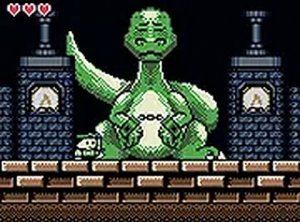
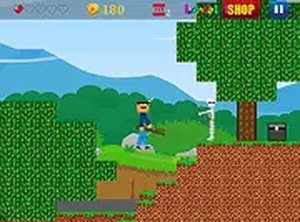
Blast Rivals is an exciting 2D side-scrolling action game that places you in the middle of intense combat. With 5 worlds and 24 stages, you will face over 25 enemy types and 5 unique bosses. The game features a wide range of tools and power-ups, including both ranged and close-range options. As you progress, you can upgrade your character, tools, and skills through a detailed skill tree. Achievements and daily quests keep the action fresh, while tutorials help you get started. Developed by Obumo Games, this web-based game offers hours of fun for players of all ages.

How to Play

Use the WASD or arrow keys to move your character around the battlefield. Press the left mouse button or LCtrl to fire at enemies. Jump over obstacles with the spacebar. Switch between tools using the Q key, and throw special items with E. Use health packs by pressing F to restore energy, and activate special skills with R. Each stage requires careful planning and quick reflexes to succeed. Before starting a mission, you can use boosters to increase your chances of success. Complete missions on three difficulty levels to earn valuable rewards.

Game Features

5 worlds and 24 stages, over 25 enemies and 5 bosses, more than 22 tool types, achievements and daily quests, character progression and skill tree, helpful tutorials.

Tips for Success

Master the controls and practice your aim to defeat enemies efficiently. Explore each stage thoroughly to find hidden power-ups and health packs. Upgrade your skills and tools regularly to keep up with increasing difficulty. Use the right tool for each situation—ranged weapons for distant foes and close-range options for tight spaces. Complete daily quests and achievements to earn extra rewards. Finally, don't hesitate to replay earlier stages on higher difficulties to gather more resources and improve your skills.

Compatibility

This H5 game runs smoothly on:
• Desktop computers (Windows / Mac) • Mobile phones (iPhone / Android)
• Tablets (iPad / Android)
🌐 Best experienced with Chrome, Safari, or Edge
Faq
Is Blast Rivals free to play?
Blast Rivals is a web-based game developed by Obumo Games. While the game itself is free to access, some in-game items or boosters may be available for purchase. Check the official game page for the most accurate information on pricing and monetization.
Can I play Blast Rivals on mobile devices?
Blast Rivals is designed as a web-based game, so it can be played in a browser on desktop computers. Mobile compatibility may vary depending on the device and browser. It is recommended to play on a desktop for the best experience, especially for precise controls.
Does Blast Rivals have multiplayer or co-op modes?
The game is primarily a single-player action experience with 5 worlds and 24 stages. There is no mention of multiplayer or co-op modes in the available information. Players focus on progressing through the stages and defeating enemies on their own.
How often are new updates or content added?
Update frequency is not specified for Blast Rivals. However, the game includes daily quests and achievements, which suggest ongoing content refreshes. For the latest updates, check the official Obumo Games website or the game's page.
What age group is Blast Rivals suitable for?
Blast Rivals is described as a family-friendly action game suitable for players of all ages. The combat is cartoon-style and does not include extreme violence or inappropriate content. Parents can feel comfortable letting children play this game.
Do I need to create an account to play Blast Rivals?
Account requirements are not explicitly stated. Since it is a web-based game, you may be able to play without an account, but creating one might be necessary to save progress, track achievements, or access daily quests. Check the game's start screen for details.
Advertisement