
Noob Vs Zombi Adventure

Noob Vs Zombi Adventure

Developer: Avenue Wanderer Games
Published: 2024-05-08
Updated: 2026-06-12

Reviews

Noob Vs Zombi Online Adventure Game combines exploration, puzzle-solving, and light combat in a family-friendly package. The diverse biomes and upgrade system add replay value. Controls are simple, and the riddles provide a satisfying challenge. It is a solid choice for short gaming sessions or longer play.

Description

Game Introduction

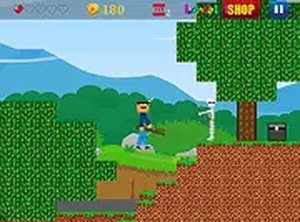
Noob Vs Zombi Online Adventure Game is a family-friendly maze exploration game. The story begins when Pro betrays Noob, leaving him trapped in mysterious labyrinths filled with zombies and enemies. Players guide Noob through diverse biomes including villages, caves, deserts, and the North Pole. Along the way, you face various zombies, dodge traps, and solve riddles. Collect coins and valuable items from enemies to buy and upgrade weapons. Open chests for gold and mysterious items. The cheater uses tricky technologies to slow you down, but your goal is to find Pro and defeat him to win. This game is perfect for players who enjoy strategy, exploration, and light combat in a safe, family-friendly setting.

How to Play

Use your mouse or touch screen to move Noob through the labyrinths. Click or tap on zombies to defeat them and collect coins. Gather items and coins to upgrade your weapons for stronger attacks. Navigate through different biomes, each with unique challenges like traps and puzzles. Solve riddles to unlock new paths and progress further. Keep an eye out for chests that contain valuable gold and items. Avoid traps and escape from enemies to stay alive. Your main mission is to find Pro and defeat him in a final battle. Enjoy the journey and have fun exploring.

Game Features

Explore diverse biomes like villages, caves, deserts, and the North Pole. Collect coins and upgrade weapons. Solve puzzles and riddles to unlock new paths. Battle zombies in light, family-friendly combat. Open chests for gold and mysterious items. Face a final boss battle against Pro.

Tips for Success

Take time to explore each biome thoroughly to find hidden chests and items. Prioritize upgrading your weapons early to handle tougher enemies. Pay close attention to riddles and environmental clues to unlock new paths. Avoid rushing into traps; observe patterns before moving. Save coins for strategic upgrades rather than spending them all at once. Practice dodging and timing your attacks to stay alive longer.

Compatibility

Play on Any Device | Chrome / Safari / Edge Recommended
Faq
Is this game suitable for children?
Yes, the game is designed as a family-friendly experience. It features light combat against zombies without graphic violence, and the puzzles and exploration are appropriate for all ages. Parents can feel comfortable letting children play.
Can I play this game on a mobile device?
The game is described as an online adventure game and typically supports touch screen controls, which suggests it can be played on mobile devices. However, you may want to check the specific platform requirements before playing.
Do I need an internet connection to play?
Since the game is described as an 'online adventure game,' an internet connection is likely required to play. This allows for features like saving progress, leaderboards, or multiplayer elements that may be included.
How long does it take to complete the game?
The game involves exploring multiple biomes, solving riddles, and defeating a final boss. The total playtime can vary depending on your pace and skill, but typical adventure games of this type may take a few hours to complete.
Are there any in-app purchases?
The game description mentions collecting coins and opening chests, which may indicate optional in-app purchases for faster progression or cosmetic items. However, the core experience is likely available without spending money.
Can I save my progress?
Online adventure games usually include a save feature, often tied to your account or device. This allows you to continue from where you left off. Check the game's settings for save options.
Advertisement