Arcade Racing Challenge

Arcade Racing Challenge

Racing
Developer: Lily Flower Games
Published: 2025-07-31
Updated: 2026-06-26

Reviews

Arcade Racing Challenge delivers a clean, family-friendly driving experience. The controls are intuitive, making it easy for anyone to pick up and play. The increasing traffic patterns keep the gameplay engaging, and the focus on beating your own high score adds replay value. It runs smoothly on both desktop and mobile browsers without any downloads.

Description

Game Introduction

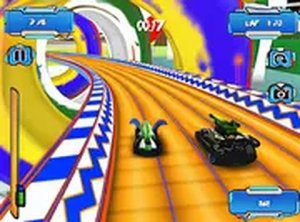
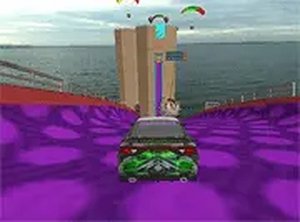
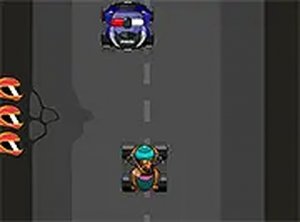
Arcade Racing Challenge is a fast-paced driving game that puts you behind the wheel of a high-speed car navigating through busy traffic. Your main goal is to keep moving forward at top speed while avoiding obstacles and other vehicles on the road. Each round presents new traffic patterns and challenges, making the experience feel fresh and engaging. The longer you drive without crashing, the higher your score climbs. This game runs directly in your browser, so there are no downloads or installations required. It works on both desktop and mobile devices, making it easy to play anytime. The simple controls and clear visuals make it accessible for casual players, while the increasing difficulty provides a satisfying challenge for those who want to improve their reflexes.

How to Play

To play Arcade Racing Challenge, you control your car's movement left or right using your keyboard arrow keys or by swiping on a touchscreen. Your car moves forward automatically, so your main task is to avoid oncoming traffic and roadside obstacles. Stay focused and react quickly to sudden changes in traffic flow. The game ends when you hit an object or another vehicle. Your score increases the longer you drive without crashing. Each round has a different layout and traffic density, so you will need to adapt your strategy as you progress. You can also play in full screen mode for a more immersive view. Simply start the game and begin your racing adventure. No complex rules or tutorials are needed.

Game Features

Fast-paced driving action with simple controls suitable for all ages. Endless rounds with increasing difficulty. Works on desktop and mobile browsers. Full screen mode for an immersive experience. No downloads or installations required. Free to play online.

Tips for Success

Practice regularly to improve your reaction time. Learn to anticipate traffic patterns by watching the road ahead. Stay calm and make small, precise movements to avoid obstacles. Focus on beating your own high score to track your progress.

✅ Compatibility & Testing

• Desktop (Windows 11, macOS Ventura)
• Mobile (iPhone 14, Samsung Galaxy S23)
• Tablet (iPad Pro, Android tablet)
✅Supported browsers: Chrome, Safari, Edge, Firefox (latest versions)
❌ Not supported: Internet Explorer, older browser versions
Faq
Is Arcade Racing Challenge free to play?
Yes, Arcade Racing Challenge is completely free to play online. There are no hidden fees or in-game purchases required. You can start playing instantly in your browser without any payment.
Can I play Arcade Racing Challenge on my phone?
Yes, Arcade Racing Challenge works on both desktop and mobile devices. You can play it on your smartphone or tablet using touchscreen controls. The game is optimized for small screens as well.
Do I need to download anything to play Arcade Racing Challenge?
No downloads or installations are needed. Arcade Racing Challenge runs directly in your web browser. Just open the game page and start playing immediately.
What happens when I crash in Arcade Racing Challenge?
When you hit an obstacle or another vehicle, the game ends. Your final score is based on how long you survived. You can then start a new round to try to beat your previous score.
Does Arcade Racing Challenge have different difficulty levels?
The game features increasing difficulty as you progress. Traffic patterns become more complex and traffic density may increase. This provides a natural challenge without needing separate difficulty settings.
Can I pause the game in Arcade Racing Challenge?
The game is designed for quick play sessions, but many browser games of this type allow pausing by pressing a key or tapping a pause button. Check the game interface for a pause option during play.
Advertisement