ATV Offroad Driving Adventure

ATV Offroad Driving Adventure

Racing Offroad
Developer: Jet Pixel Core
Published: 2026-01-16
Updated: 2026-06-12

Reviews

ATV Offroad Driving Game delivers a straightforward offroad experience with a focus on balance. The controls are easy to learn, but the obstacles require careful timing and practice. Each track feels distinct and progressively harder, which keeps the gameplay engaging. The lack of ads or paywalls is a plus. It is a solid choice for short gaming sessions where you want a calm but focused challenge. Replay value comes from improving your runs and conquering tougher levels.

Description

Game Introduction

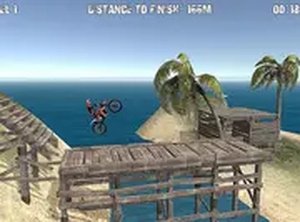
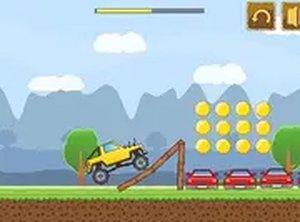
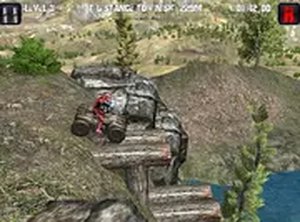
ATV Offroad Driving Adventure puts you in control of a powerful all-terrain vehicle designed to tackle rugged landscapes. The core objective is to navigate through challenging offroad tracks filled with natural obstacles such as rocks, logs, and steep slopes. What makes this game unique is its focus on balance and careful driving rather than pure speed, offering a rewarding test of coordination and patience. Each track increases in difficulty, pushing your skills to keep the ATV upright while moving forward. This browser-based experience runs instantly with no downloads or installations required, making it accessible for quick sessions.

How to Play

Players typically use keyboard controls to drive their ATV. Acceleration and braking are managed with specific keys, while leaning the vehicle left or right helps maintain balance on uneven terrain. The key to success is watching for obstacles ahead and adjusting your speed and posture accordingly. Your mission is to reach the end of each track without crashing or tipping over. If you do tip, you can restart the level and try again. Mastering the balance mechanic is essential for conquering harder tracks, and practice is encouraged to improve your skills.

Game Features

This game is free to play with no hidden costs, designed exclusively for desktop computers with keyboard controls. It offers full screen mode for a more immersive view. Tracks are filled with varied obstacles that require careful driving, and simple controls make it easy to start playing immediately. No downloads or sign-ups are needed, as the game runs directly in your browser. The balance mechanic adds a layer of skill that makes each level rewarding, providing a pure driving challenge without unnecessary distractions.

Tips for Success

Practice regularly to improve your balance and reaction times. Learn the terrain of each track by paying attention to upcoming obstacles and adjusting your speed accordingly. Use gentle inputs when leaning to avoid overcorrecting and tipping over. Patience is key—rushing often leads to crashes. If you fail a level, take a moment to analyze what went wrong and try a different approach. Consistent practice will help you master the mechanics and conquer even the most difficult tracks.

Compatibility

Play on Any Device | Chrome / Safari / Edge Recommended
Faq
Is this game available on mobile devices?
The game is designed exclusively for desktop browsers with keyboard controls. It may not be optimized for mobile touchscreens, so for the best experience, play on a computer or laptop.
Do I need to create an account to play?
No account or sign-up is required. The game runs instantly in your browser, allowing you to start playing without any registration or personal information.
Can I play this game offline?
Since the game runs in a web browser, an internet connection is typically needed to load it. Once loaded, some features may work offline, but for full functionality, a connection is recommended.
Are there different ATV models to choose from?
The game focuses on driving a single all-terrain vehicle. While specific customization or multiple models are not detailed, the core experience revolves around mastering the balance and navigation of your ATV.
Is there a time limit for completing tracks?
The game emphasizes careful driving over speed, so there is typically no strict time limit. You can take your time to navigate obstacles and maintain balance without the pressure of a timer.
How do I enable full screen mode?
Full screen mode is available and can usually be activated through an on-screen button or by pressing a key like F11 on your keyboard. This provides a more immersive view of the offroad tracks.
Advertisement