Moto Trials Beach Bike Racing

Moto Trials Beach Bike Racing

Racing Arcade
Developer: Pluto Shade Studio
Published: 2025-12-24
Updated: 2026-06-06

Reviews

Moto Trials Beach Bike Racing Game delivers a clean and engaging experience. The controls are responsive, and the physics feel natural. Each level gradually increases in difficulty, encouraging players to improve their skills. The beach theme is visually appealing and keeps the focus on gameplay. It is easy to pick up for a few minutes, but the challenge of mastering all tracks adds replay value. A solid choice for fans of skill-based racing games.

Description

Game Introduction

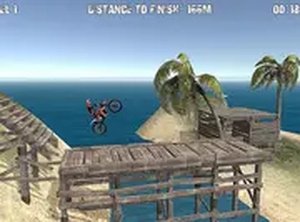
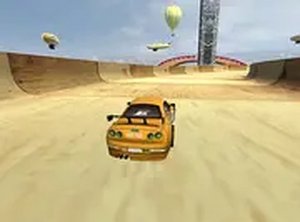
Moto Trials Beach Bike Racing Game is an arcade-style off-road racing game set on sandy shores and steep dunes. The core objective is to control a motorcycle through a series of tricky obstacles, testing balance and timing as you navigate hills, bumps, and narrow paths. What makes this game unique is its focus on realistic physics and responsive controls, offering a fun and engaging experience for both casual players and trials fans. The bright beach setting and simple design keep the action at the forefront, making it perfect for quick gaming sessions or longer practice runs. No downloads are needed—just open your browser and start riding.

How to Play

Players typically use keyboard controls to accelerate, brake, and lean their bike to maintain balance on uneven terrain. The goal is to reach the end of each track without crashing. If you fall, you can restart the level and try again. Smooth and steady control works better than rushing, so take your time to learn the terrain and adjust your speed. The game works best on a computer with a keyboard or mouse, and you can switch to full screen mode for a more immersive experience. Each level gets harder, so practice your timing and balance.

Game Features

Features include fun beach trials with realistic bike physics and challenging obstacles. The controls are easy to learn but hard to master. Each level introduces new terrain and obstacles to keep the gameplay fresh. The game runs smoothly in any modern browser without plugins. The beach setting is visually pleasant, and the physics make every successful run feel rewarding. This game is ideal for short breaks or longer sessions.

Tips for Success

To succeed, focus on maintaining balance by leaning your bike appropriately on hills and bumps. Practice regularly to learn the terrain and improve your timing. Adjust your speed based on the obstacles—sometimes slower is better. Stay patient and avoid rushing, as smooth control leads to fewer crashes. Each level increases in difficulty, so consistent practice will help you master the tracks and beat your best times.

Compatibility

This H5 game runs smoothly on:
• Desktop computers (Windows / Mac) • Mobile phones (iPhone / Android)
• Tablets (iPad / Android)
🌐 Best experienced with Chrome, Safari, or Edge
Faq
Is Moto Trials Beach Bike Racing free to play?
Yes, this is a free online game. You can play it directly in your browser without any payment or subscription. No downloads or installations are needed.
What devices can I play this game on?
The game is designed for computers with a keyboard or mouse. It may not be optimized for touchscreens or mobile devices. For the best experience, use a modern browser on a desktop or laptop.
Does the game have a time limit for each level?
The game typically focuses on completing tracks without crashing rather than strict time limits. However, you can try to beat your best time for each level. The main goal is to reach the end safely.
Can I save my progress in the game?
Progress saving depends on the specific version. Many browser games may save your progress locally using cookies or browser storage. Check the game interface for a save option or auto-save feature.
Are there different motorcycles to choose from?
The game name and tags do not specify multiple motorcycles. It likely features a single bike with standard controls. Some similar games may offer bike customization, but this is not confirmed for this title.
What should I do if the game runs slowly?
Ensure your browser is up to date and close other tabs or programs that may use resources. Try switching to full screen mode for better performance. If issues persist, restart your browser or computer.
Advertisement