Moto Madness Online Racing Game

Moto Madness Online Racing Game

Racing Online Racing
Developer: Jadepeak Labs
Published: 2025-10-23
Updated: 2026-06-06

Reviews

Moto-Psycho Madness offers a refreshing take on browser racing games. The open world encourages exploration, and the stunt system adds depth beyond simple speed. Controls are responsive, and the physics feel realistic. The game has good replay value as you try to master jumps and discover new areas. It runs smoothly in a browser and is suitable for all ages.

Description

Game Introduction

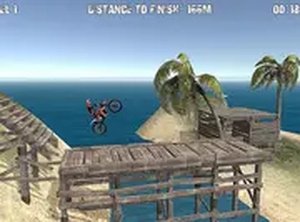
Moto Madness Online Racing Game is a free browser-based racing experience that combines high-speed dirt bike action with open-world exploration. Developed by the creators of Desert Drift Royale, this game invites you to ride through expansive environments, perform daring stunts, and test your control at high speeds. The focus is on freedom and skill, allowing you to choose your path and tackle challenges at your own pace. With realistic bike physics and responsive controls, every jump and turn feels engaging. This browser-based game requires no downloads, making it easy to start playing instantly. It is designed for desktop computers and offers a full-screen mode for an immersive experience. Whether you are a fan of racing games or just looking for a quick thrill, Moto Madness delivers a satisfying blend of speed and adventure.

How to Play

To play Moto Madness, use a keyboard and mouse on a desktop computer. Use the arrow keys or WASD to steer your dirt bike across the open world. Press the spacebar to jump, and use additional keys to tilt your bike in mid-air for stunts. The goal is to explore the environment, complete challenges, and maintain balance during high-speed jumps. For the best experience, switch to full-screen mode using the game settings. Ensure you have a stable internet connection and a modern browser. No downloads or installations are required—just click and play.

Game Features

Game features include open-world exploration with no linear paths, realistic dirt bike physics that affect handling and stunts, high-speed racing across varied terrain, and free browser-based play without downloads. The game also offers full-screen mode and responsive controls for a smooth experience.

Tips for Success

You will enjoy Moto Madness for its open-world freedom and stunt mechanics. The game rewards practice and precision, making each successful stunt feel rewarding. It is a good choice for short play sessions or longer exploration.

Compatibility

This H5 game runs smoothly on:
• Desktop computers (Windows / Mac) • Mobile phones (iPhone / Android)
• Tablets (iPad / Android)
🌐 Best experienced with Chrome, Safari, or Edge
Faq
Is Moto Madness Online Racing Game free to play?
Yes, the game is free to play. It is browser-based and requires no downloads or purchases to start. You can access it directly through your web browser on a desktop computer.
What platforms is the game available on?
Moto Madness is designed for desktop computers. It runs in a web browser and supports full-screen mode for an immersive experience. It is not currently available on mobile devices or consoles.
Do I need to create an account to play?
Typically, no account is required to play. Since it is a browser-based game, you can usually start playing immediately without registration. However, some features like saving progress may require an account in similar games.
Can I play with friends online?
The game focuses on single-player exploration and stunts. Multiplayer features are not mentioned, so it is likely a solo experience. You can enjoy the open world and challenges on your own.
What kind of stunts can I perform?
You can perform mid-air stunts by tilting your bike using keyboard controls. The game's physics allow for various aerial maneuvers, such as flips and spins, which require timing and balance to execute successfully.
How do I access full-screen mode?
Full-screen mode can typically be activated through the game's settings menu. Look for an option labeled 'Full Screen' or use a common keyboard shortcut like F11 to toggle full-screen mode for a more immersive experience.
Advertisement