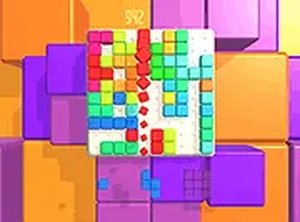
Block Puzzle Webgl

Block Puzzle Webgl

Classic Puzzle
Developer: Orange Wanderer Games
Published: 2025-07-01
Updated: 2026-06-12

Reviews

Blocks Webgl offers a straightforward block puzzle experience with a focus on relaxation. The drag-and-drop controls are responsive, and the ability to rotate blocks adds a layer of strategy. The game has good replay value because each round is different, and there is no time pressure. It is a solid choice for casual puzzle fans who want a calm game to play during breaks.

Description

Game Introduction

Blocks Webgl is a puzzle game designed for relaxation. The core concept is simple: you are given a set of colorful blocks that must be placed onto a grid. Your goal is to fill entire rows or columns to clear them and earn points. There are no timers or complex rules, so you can play at your own pace. The game runs smoothly in any modern browser on a desktop computer, making it easy to start playing without any downloads. The clean and colorful interface keeps the focus on the puzzle-solving fun. Whether you have a few minutes or a longer break, Blocks Webgl provides a satisfying challenge that helps you unwind.

How to Play

How to play Blocks Webgl is straightforward. Use your mouse or keyboard to drag and drop the blocks onto the game board. You can rotate each block before placing it to find the best fit. The goal is to complete horizontal or vertical lines to make them disappear, which frees up space and increases your score. The game ends when no more blocks can be placed. There is no time limit, so you can think carefully about each move. For a more immersive experience, you can switch to full screen mode by clicking the full screen button in the game interface. Blocks Webgl is optimized for desktop use, so a keyboard and mouse give you the best control.

Game Features

Game features include relaxing puzzle gameplay that is free to play. The game offers a full screen mode for a more focused experience. It is optimized for desktop browsers, ensuring smooth performance. The controls are intuitive, allowing you to drag, drop, and rotate blocks with ease. There are no ads or interruptions during gameplay, so you can enjoy a peaceful session.

Tips for Success

You will like Blocks Webgl because it offers a calm and rewarding puzzle experience. The simple mechanics make it easy to pick up, while the strategic placement of blocks keeps your mind engaged. It is a great way to relax after a busy day without feeling rushed or pressured.

✅ Compatibility & Testing

• Desktop (Windows 11, macOS Ventura)
• Mobile (iPhone 14, Samsung Galaxy S23)
• Tablet (iPad Pro, Android tablet)
✅Supported browsers: Chrome, Safari, Edge, Firefox (latest versions)
❌ Not supported: Internet Explorer, older browser versions
Faq
Is Blocks Webgl free to play?
Yes, the game is free to play. There are no hidden costs or in-app purchases required to enjoy the full puzzle experience. Simply open it in your browser and start playing.
Can I play Blocks Webgl on my mobile phone?
The game is optimized for desktop browsers and may not work perfectly on mobile devices. For the best experience, use a desktop computer with a keyboard and mouse.
Does Blocks Webgl have a time limit?
No, there is no time limit. You can take as long as you need to think about each move, making it a relaxing and stress-free puzzle game.
How do I rotate blocks in the game?
You can rotate blocks before placing them on the grid. Typically, you can use a mouse click or a keyboard key to rotate the block to find the best fit.
What happens when I cannot place any more blocks?
The game ends when no more blocks can be placed on the grid. Your final score is based on the number of lines you cleared during the game.
Is an internet connection required to play?
Yes, since it is an online game that runs in a web browser, you need an active internet connection to load and play the game.
Advertisement