
Goblin Melody Rhythm Battle
Reviews
Description
Game Introduction
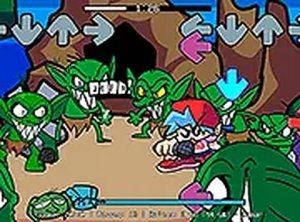
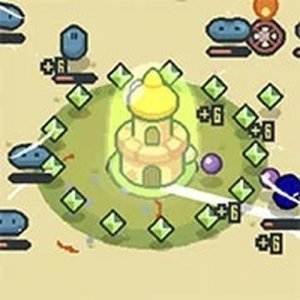
Goblin Melody Rhythm Battle is a browser-based music game that draws inspiration from the popular Friday Night Funkin' series. In this arcade-style contest, players face off against a group of cheerful cave goblins in a playful test of timing and melody. The game combines catchy tunes with colorful visuals, creating a lighthearted atmosphere suitable for players of all ages. The core objective is simple: outperform your goblin opponent by hitting musical notes accurately as they appear on screen. This version adds a fresh, whimsical twist to the classic rhythm game formula, making it ideal for quick gaming sessions or extended play. The goblin theme brings a unique charm that sets it apart from other music games, offering a fun and accessible experience for everyone.
How to Play
Players use keyboard arrow keys to match notes as they scroll down the screen. Each note corresponds to a specific direction, and pressing the correct key at the right moment is essential for success. The game tracks accuracy and provides feedback after each song, helping players gauge their performance. Timing is critical—hitting notes early or late can affect your score. The controls are straightforward, allowing newcomers to jump in without lengthy tutorials. A full-screen option is available for a more immersive experience. Players typically start with easier songs and gradually progress to more challenging tracks as they improve their rhythm skills.
Game Features
This game is free to play and runs directly in a web browser, requiring no downloads or installations. It supports desktop computers and includes a full-screen mode for enhanced visuals. The content is family-friendly, with no mature themes, making it accessible to all age groups. Simple keyboard controls ensure easy learning, while the catchy music and colorful graphics keep gameplay engaging. The goblin theme adds a playful, unique twist to the rhythm genre. Players can enjoy a variety of songs that test their timing and coordination in a fun, pressure-free environment.
Tips for Success
Focus on timing rather than speed—accuracy is more important than pressing keys quickly. Practice each song multiple times to learn the note patterns and improve your reaction time. Use the full-screen mode to reduce distractions and see notes more clearly. Stay relaxed and avoid tensing up, as this can throw off your rhythm. If you miss a note, don't panic; focus on the next one to maintain your flow. Regular practice will help you master harder difficulties and beat the goblins consistently.



Player Comments
Sign in to comment
You must be logged in before posting a review or rating.
No account? Create one
No comments yet. Be the first to comment!