
Quad Racer Challenge
Reviews
Description
Game Introduction
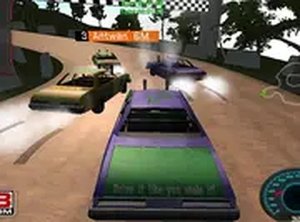
Quad Racer Challenge is a driving game where players control a quad vehicle through a series of tracks. The core objective is to maintain speed and balance while navigating curves and obstacles. Each race requires finishing in one of the first three positions to pass the level and unlock the next one. This free browser game is designed for desktop play and offers a smooth experience with keyboard or mouse controls. Whether you are a casual player or a competitive racer, Quad Racer Challenge delivers fun and excitement without any violent or inappropriate content. It is family-friendly and suitable for all ages, making it a great choice for quick gaming sessions.
How to Play
To play Quad Racer Challenge, use your keyboard or mouse to control the quad vehicle. You tilt and lean your vehicle to maintain balance and speed through each track. The goal is to finish in one of the first three positions to pass the level and unlock the next one. You can play in full-screen mode for a more immersive experience. Simply start the game, and use the arrow keys or mouse movements to steer. Practice your timing and balance to improve your performance and conquer all levels. No downloads are needed; the game runs directly in your browser.
Game Features
Quad Racer Challenge includes several features that enhance the gameplay experience. It is free to play and designed for desktop use only. The game offers a full-screen mode for a more focused racing experience. It uses WebGL graphics to provide smooth and visually appealing visuals. The content is family-friendly, ensuring it is suitable for players of all ages. No downloads are required, so you can start playing immediately in your browser.
Tips for Success
Focus on maintaining balance through turns to avoid losing speed. Practice each track to learn the best racing lines. Use the full-screen mode to reduce distractions and improve your reaction time. Consistent practice will help you master the controls and achieve top-three finishes.





Player Comments
Sign in to comment
You must be logged in before posting a review or rating.
No account? Create one
No comments yet. Be the first to comment!