
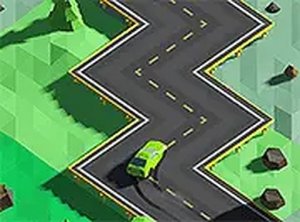
Zigzag Road Driving Adventure
Reviews
Description
Game Introduction
Zigzag Road Driving Adventure is an arcade-style driving game where players control a car on a road that twists and turns unpredictably. The core objective is to keep the vehicle on the track for as long as possible while navigating sharp zigzag curves. What makes this game unique is its simple yet challenging premise: the road layout changes each time you play, offering a fresh experience with every attempt. Gifts appear along the road to collect, boosting your score, and you can upgrade your car to improve handling and speed. Designed for quick play sessions, this free browser game runs on both mobile and desktop devices, with full-screen mode available for a more immersive experience.
How to Play
Players control the car by steering left or right to follow the winding road. On a computer, you typically use the mouse; on a mobile device, you tap the screen. The road constantly changes direction, requiring quick reactions to avoid falling off. As you drive, collect gifts that appear on the road to earn points and unlock car upgrades. The longer you stay on the road, the higher your score. There are no complex rules or buttons to learn—just focus on the road ahead and adjust your steering to match each turn. The game becomes more challenging as you progress, with faster speeds and tighter curves.
Game Features
Features include a fun driving experience with zigzag road challenges, gift collection mechanics, and car upgrades that enhance performance. The game is free to play with no downloads required. It runs smoothly in any modern browser and supports full-screen mode for better visibility. The controls are intuitive, making it accessible for players of all ages. The game also tracks your high score, encouraging you to try again and improve.
Tips for Success
To succeed, focus on anticipating the next turn rather than reacting at the last moment. Practice regularly to improve your reflexes and learn the rhythm of the zigzag pattern. Collect as many gifts as possible to earn points and unlock upgrades, which can help you survive longer. Stay calm during faster sections, as panicking often leads to mistakes. Each run is different, so keep trying to beat your previous best score.








Player Comments
Sign in to comment
You must be logged in before posting a review or rating.
No account? Create one
No comments yet. Be the first to comment!