
Offroad ATV Driving Adventure
Reviews
Description
Game Introduction
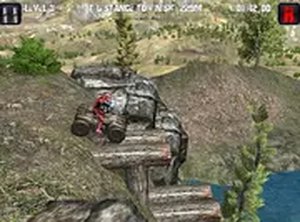
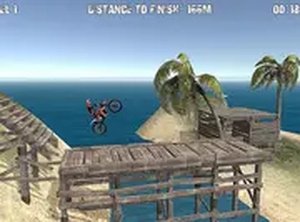
Offroad ATV Driving Adventure puts you in control of a powerful all-terrain vehicle designed to tackle rugged landscapes. The core objective is to navigate through challenging offroad tracks filled with natural obstacles such as rocks, logs, and steep slopes. What makes this game unique is its focus on balance and careful driving rather than pure speed, offering a rewarding test of coordination and patience. Each track increases in difficulty, pushing your skills to keep the ATV upright while moving forward. This browser-based experience runs instantly with no downloads or installations required, making it accessible for quick sessions.
How to Play
Players typically use keyboard controls to drive their ATV. Acceleration and braking are managed with specific keys, while leaning the vehicle left or right helps maintain balance on uneven terrain. The key to success is watching for obstacles ahead and adjusting your speed and posture accordingly. Your mission is to reach the end of each track without crashing or tipping over. If you do tip, you can restart the level and try again. Mastering the balance mechanic is essential for conquering harder tracks, and practice is encouraged to improve your skills.
Game Features
This game is free to play with no hidden costs, designed exclusively for desktop computers with keyboard controls. It offers full screen mode for a more immersive view. Tracks are filled with varied obstacles that require careful driving, and simple controls make it easy to start playing immediately. No downloads or sign-ups are needed, as the game runs directly in your browser. The balance mechanic adds a layer of skill that makes each level rewarding, providing a pure driving challenge without unnecessary distractions.
Tips for Success
Practice regularly to improve your balance and reaction times. Learn the terrain of each track by paying attention to upcoming obstacles and adjusting your speed accordingly. Use gentle inputs when leaning to avoid overcorrecting and tipping over. Patience is key—rushing often leads to crashes. If you fail a level, take a moment to analyze what went wrong and try a different approach. Consistent practice will help you master the mechanics and conquer even the most difficult tracks.




Player Comments
Sign in to comment
You must be logged in before posting a review or rating.
No account? Create one
No comments yet. Be the first to comment!