
Retro Food Fight Arcade Action
Reviews
Description
Game Introduction
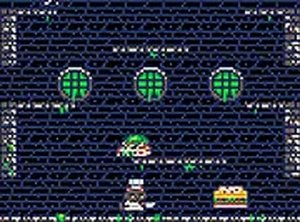
Retro Food Fight Arcade Action is a classic arcade game that brings back the charm of old-school platformers. In this game, players take on the role of a restaurant owner facing tough economic times. To keep the business running, you must explore underground sewer areas filled with various obstacles and creatures. The core objective is to collect cash and other valuables to help your restaurant survive. The game combines nostalgic pixel art visuals with simple controls, making it accessible for players of all ages. It is designed to be played directly in a web browser without any downloads, offering a quick and enjoyable gaming session. The unique setting of a restaurant in financial trouble adds a lighthearted twist to the classic arcade formula. Players will find themselves immersed in a world where every coin counts, and each level presents new challenges to overcome. The game is perfect for those who enjoy retro-style games with a modern touch.
How to Play
Players control their character using keyboard or touch inputs, moving through side-scrolling levels. The main actions involve navigating platforms and avoiding obstacles. To progress, players must collect items like coins and cash drops scattered throughout the levels. These items increase the player's score and help advance through the game. The game is designed for both desktop and mobile browsers, with an option to switch to full-screen mode for a more immersive experience. Mastering the timing of jumps and movements is key to successfully completing each stage. The gameplay is straightforward, focusing on precision and quick reactions.
Game Features
Retro Food Fight Arcade Action offers a variety of features that appeal to fans of classic arcade games. The game uses pixel art graphics that evoke a nostalgic feel. It includes platform shooting action where players must overcome various creatures. The game is free to play online and requires no downloads. It is compatible with mobile devices, allowing players to enjoy the game on the go. Full-screen mode is available for a more engaging experience. The game's simple controls make it easy to pick up and play, while the increasing difficulty provides a satisfying challenge.
Tips for Success
To succeed in Retro Food Fight Arcade Action, practice moving and jumping to avoid obstacles. Focus on collecting coins and cash to boost your score. Learn the patterns of creatures to anticipate their movements. Using full-screen mode can improve visibility. Regular practice helps you become more efficient at navigating levels and collecting items.






Player Comments
Sign in to comment
You must be logged in before posting a review or rating.
No account? Create one
No comments yet. Be the first to comment!