

Creative Coloring Art Game
Reviews
Description
Game Introduction
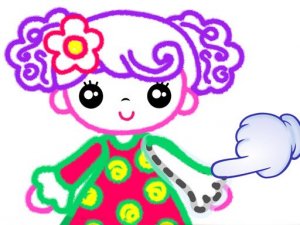
Creative Coloring Art Game is a free online activity that lets players of all ages enjoy coloring in a calm, pressure-free environment. The core idea is simple: pick a character outline from a selection of drawings, then use a palette of colors and adjustable pencil sizes to fill it in. This game is designed to be a safe, family-friendly space where anyone can express their creativity without worry. It works smoothly on both desktop computers and mobile devices, so you can play at home or while traveling. There is no need to download any software, and a full screen mode helps you focus on your artwork. Once you finish coloring, you can print your picture to share with friends or family. The whole experience is free and meant to be a positive, calming break from daily routines.
How to Play
To begin, select a character outline that appeals to you. Then choose a color from the palette and pick a pencil size that fits the area you want to color. On a desktop computer, use your mouse to click and drag over the sections you wish to fill. On a mobile device, simply tap and drag your finger on the screen. The controls are easy to learn, making the game suitable for children. After you finish coloring, click the print button to save your image. You can then print it out or share it digitally. The game also offers a full screen mode for a larger workspace, which can be helpful for detailed coloring.
Game Features
This game includes 24 vibrant colors and 9 different pencil sizes, allowing for both broad and detailed coloring. It is compatible with desktop and mobile devices, ensuring a smooth experience on various platforms. A print and save feature lets you keep your finished artwork, and full screen mode provides an immersive workspace. The game is completely free to play with no downloads required, making it accessible to everyone.
Tips for Success
Try experimenting with different color combinations to see what looks best. Start with larger areas using a broad pencil size, then switch to smaller sizes for details. Take your time and enjoy the process—there is no rush. If you make a mistake, you can always start over or try a new outline. Sharing your finished artwork with friends or family can be a fun way to celebrate your creativity. Regular practice will help you develop your own unique style.






Player Comments
Sign in to comment
You must be logged in before posting a review or rating.
No account? Create one
No comments yet. Be the first to comment!